

Design, Customize and Print With Epson Label Boost Designer
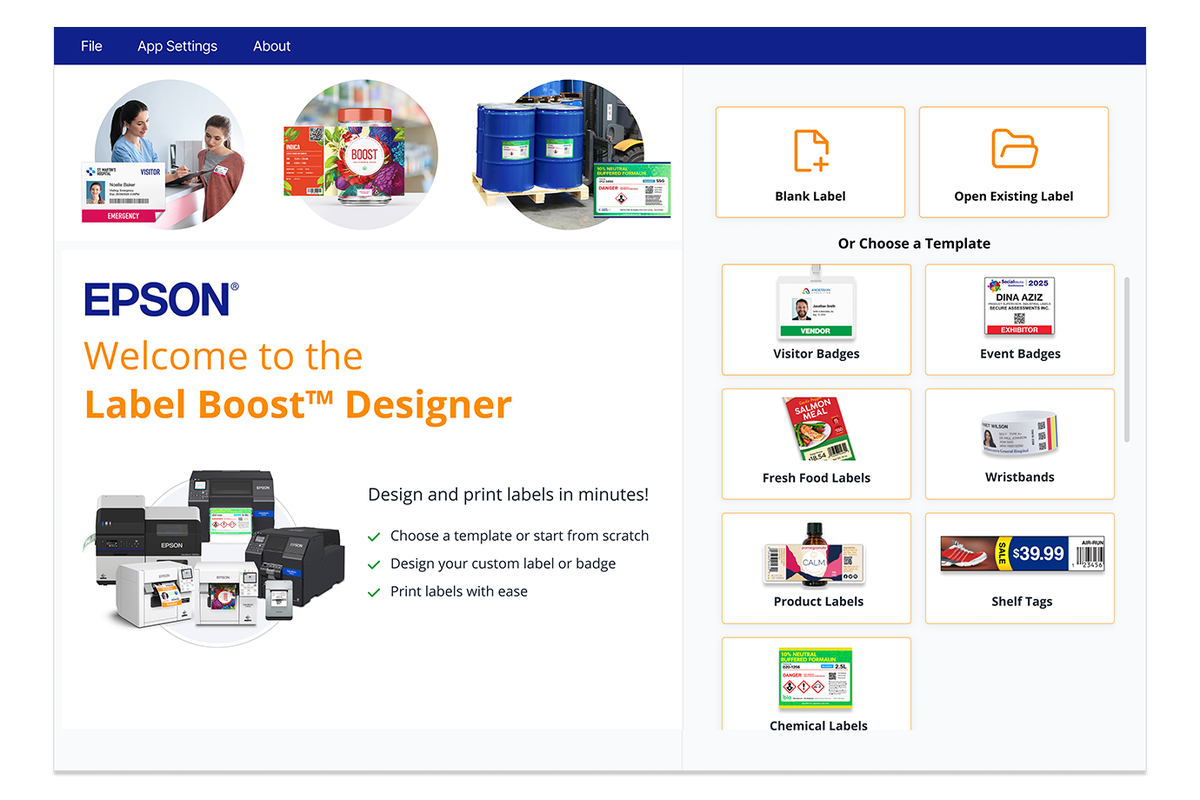
Epson Label Boost® Designer is a no-cost label design and print software that makes it easier to create professional labels without complicated design tools. Its drag-and-drop interface lets you add text, images, shapes, barcodes, QR codes, and other elements, then customize the design for your application. It is available for both Mac and PC with a free Epson account.
To download simply…
Click the button above.
Select your operating system.
Click the available download option and follow Epson’s installation instructions.
What Can You Create With Epson Label Boost Designer?
Label Boost Designer can be used for much more than a basic product label.
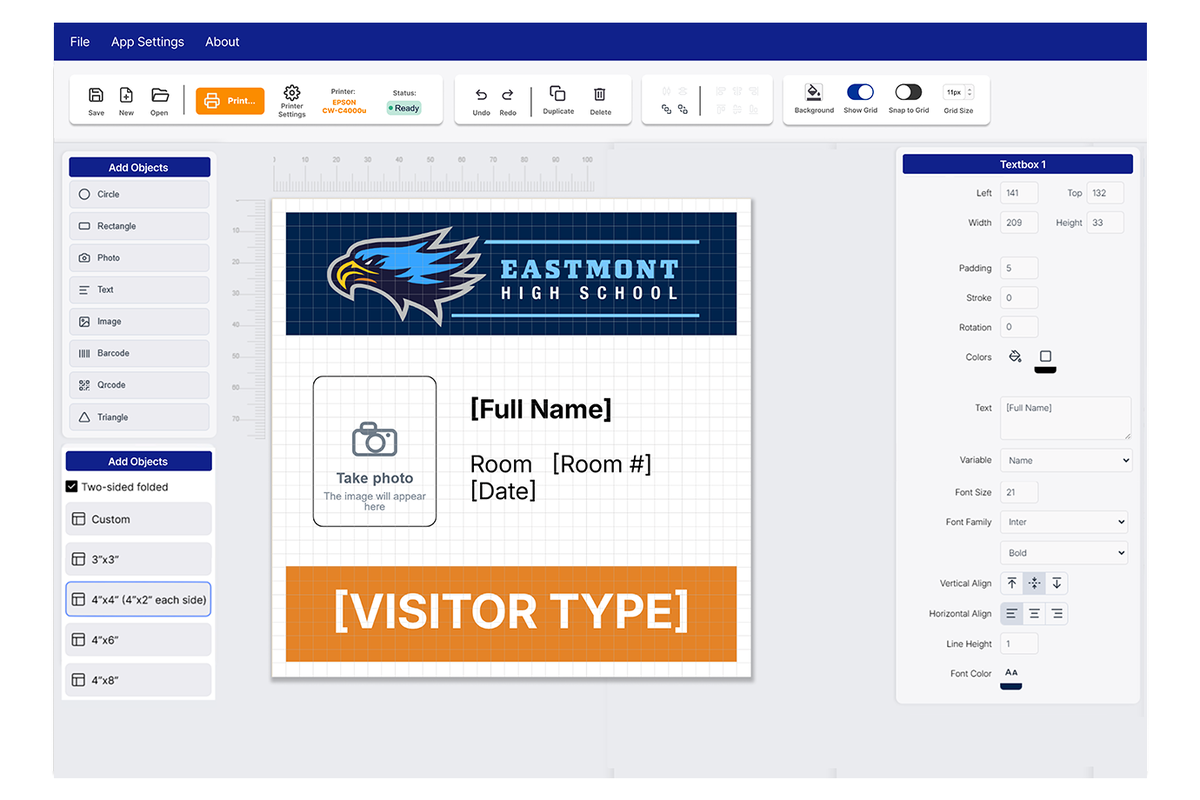
Depending on your application, you can create:
Full-color product labels
Visitor and event badges
Shelf tags
Fresh food labels
Barcode labels
QR code labels
Labels with logos, photos, text, and shapes
Labels with dynamic information pulled from a data lookup or entered at the time of printing
You can combine these elements into a single design and adjust the layout using a familiar drag-and-drop interface.
One of the Best Features? You Don’t Have to Start From Scratch
Opening a blank design program and building an entire label from the ground up is not always the easiest way to get started.
Label Boost Designer includes ready-made templates that you can customize for your own application. Epson provides templates for applications such as visitor badges, shelf tags, and fresh food labels, giving you a starting point for the layout rather than making you build everything yourself.
Prefer to make your own?
You can do that too!
Label Boost Designer lets you start with a blank design and add the individual elements you need, including text, shapes, images, traditional barcodes, and QR codes.
That gives new users an easier starting point while still giving businesses the flexibility to create their own designs.
Epson Label Boost Designer Features at a Glance
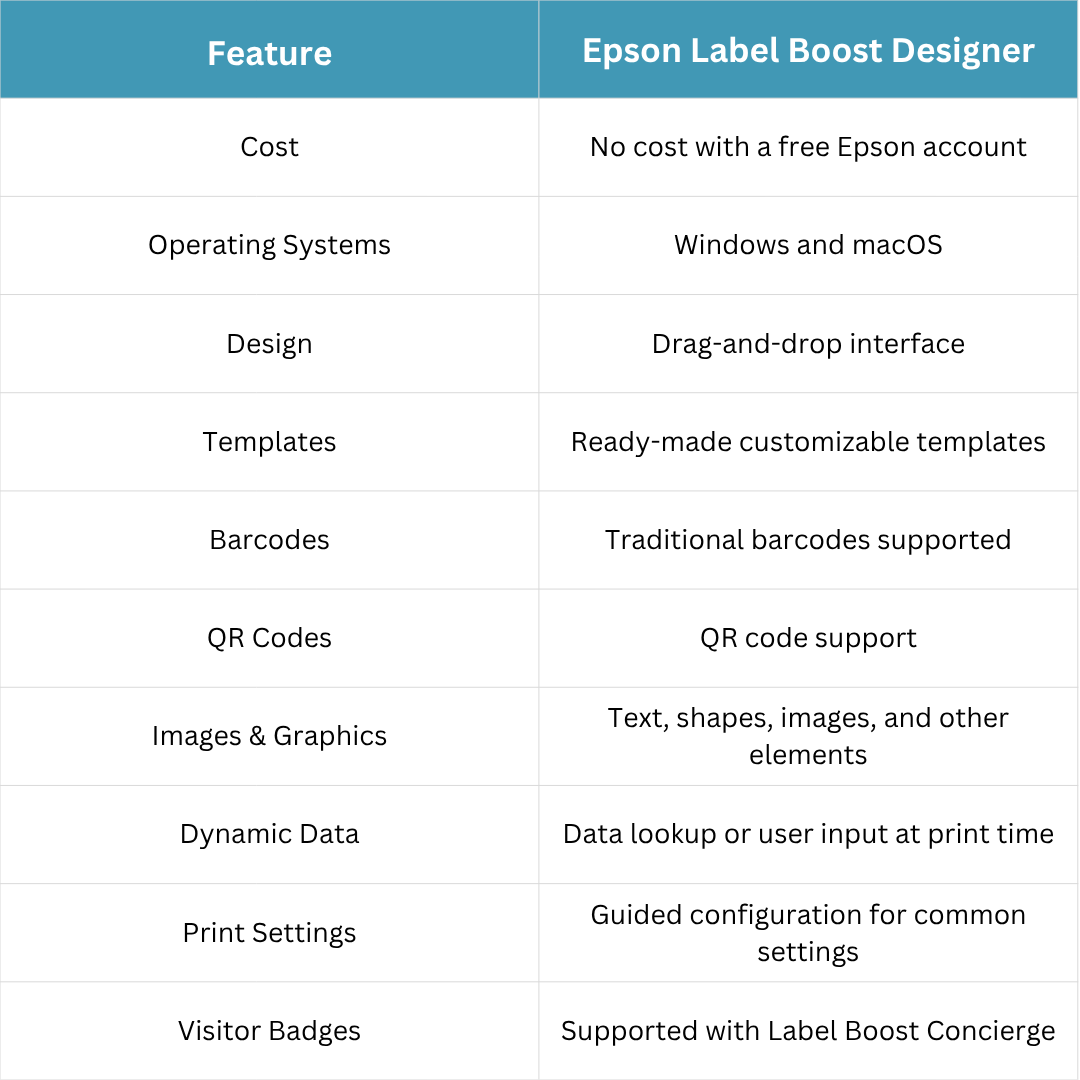
The software also includes guided configuration for common print settings and support for dynamic data, so individual elements can remain the same on every label or change based on a data lookup or information entered when the label is printed.
For visitor and event badge applications, Epson also offers the no-cost Label Boost Concierge add-on. It can use designs created in Label Boost Designer with a customizable check-in form for on-demand badge printing. When used with a webcam, photos can also be captured and added to badges during check-in.
Need a Printer to Go With It?
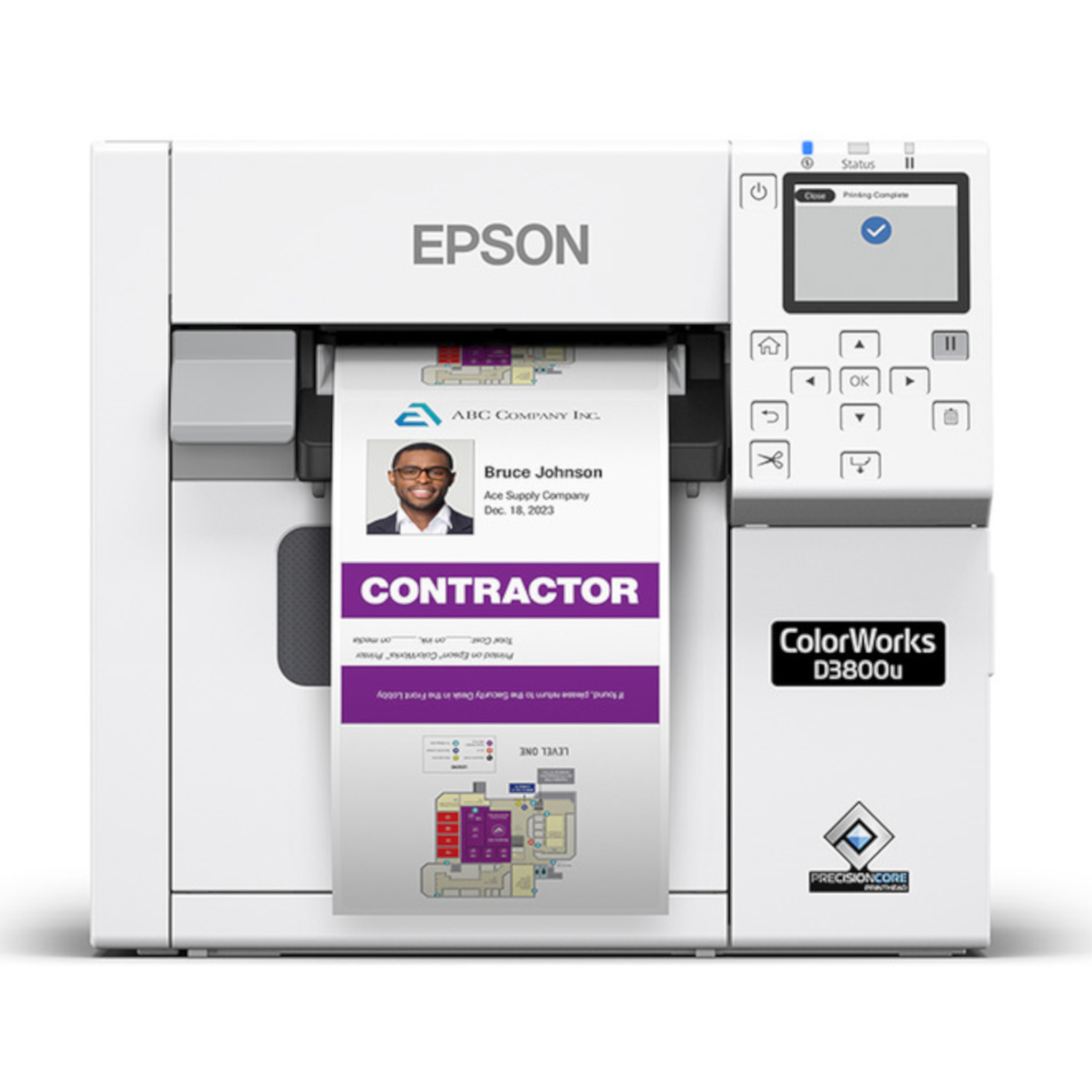
Label Boost Designer needs to be paired with a compatible Epson label printer.
For a simple, affordable setup, we recommend the Epson ColorWorks CW-D3800 for on-demand color labels and visitor badges.

Have Questions About Label Boost Designer?
Not sure how Label Boost Designer fits into your labeling workflow or how to get started?
Barcode Factory can help answer your questions and point you toward the right setup for your application.
Fill out the form below or contact us to talk to an expert!